
The Complete Guide to Seamless Android and PC Connectivity
In today’s fast paced digital world, staying connected across multiple devices is no longer a luxury it’s a necessity. AirDroid is one of the most powerful and user friendly tools that bridges the gap between your Android smartphone and your computer. Whether you are using Windows, macOS, or even iOS, AirDroid ensures smooth device management, easy file transfers, and real time notifications.
What is AirDroid?
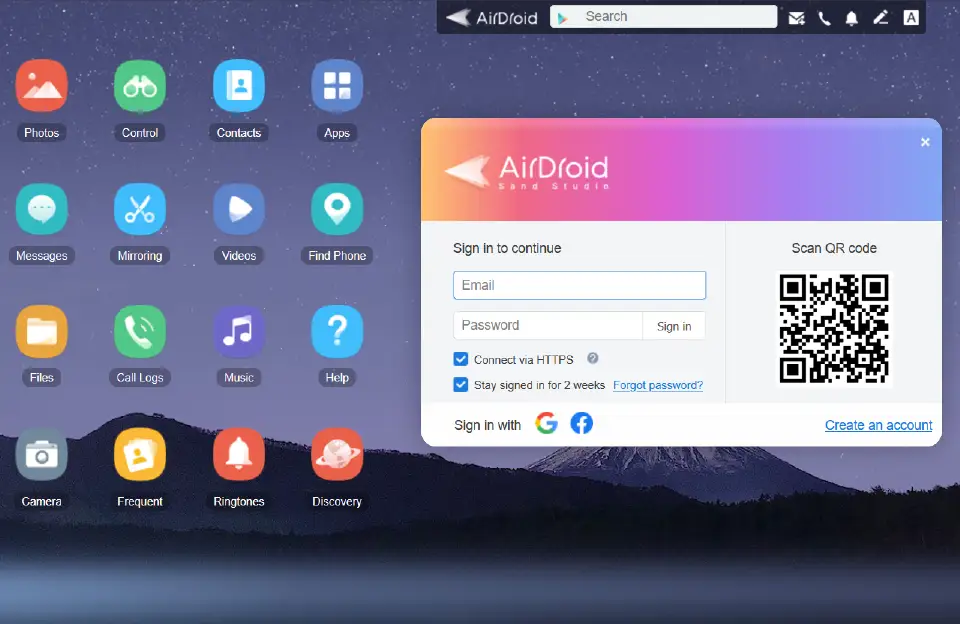
It is a cross platform application designed to connect your Android device to your PC or Mac wirelessly. It allows you to transfer files, receive and reply to notifications, send text messages, and even control your phone remotely. Unlike traditional methods that rely on USB cables, AirDroid works seamlessly over Wi Fi or mobile data, offering flexibility and convenience.
Key Features of AirDroid
1. Wireless File Transfer
Forget tangled cables, it makes it easy to send and receive files between your Android phone and PC. From photos and videos to documents and apps, you can drag and drop files effortlessly. This feature is especially useful for professionals and students who need quick access to data across devices.
2. Real-Time Notifications on PC
It mirrors your Android notifications directly to your desktop. You can stay updated with incoming calls, app alerts, and text messages without constantly checking your phone. This improves productivity by minimizing distractions.
3. Remote Control & Screen Mirroring
With AirDroid, you can mirror your Android screen on your computer and even control it remotely. This feature is perfect for presentations, troubleshooting, or managing your device without physically holding it.
4. Messaging Integration
AirDroid supports quick replies to SMS and popular messaging apps like WhatsApp, Telegram, and Facebook Messenger. You can type using your computer’s keyboard, making conversations faster and more convenient.
5. Cross Platform Support
While AirDroid is primarily built for Android, it also offers strong compatibility with iOS, macOS, and Windows. This makes it a reliable choice for users who work across multiple devices and operating systems.
6. Security & Privacy
AirDroid prioritizes data security with end to end encryption during file transfers and remote sessions. Users can confidently transfer sensitive files without worrying about data breaches.
Why Use AirDroid?
- Boosts productivity by syncing your phone and PC
- Saves time with wireless transfers and real-time notifications
- Provides remote control features that are ideal for IT professionals and tech-savvy users
- Eliminates dependency on USB cables and third party cloud storage services
Who Can Benefit from AirDroid?
- Students: Share notes, presentations, and assignments instantly
- Professionals: Manage work files, attend to client messages, and stay organized
- Remote Workers: Control their Android devices from any location
- General Users: Enjoy seamless connectivity between phone and computer
AirDroid is more than just a file transfer tool; it is a complete device management solution designed to simplify the way you interact with your Android devices. With its intuitive interface, seamless cross platform support, and an extensive array of powerful features, AirDroid allows users to multitask effortlessly across smartphones, tablets, and computers. You can transfer files quickly and securely, mirror your device screen to a larger display, receive and manage notifications in real time, and even access apps remotely without any technical hassle.
Beyond file management, AirDroid enhances productivity by enabling users to streamline communication, organize tasks, and coordinate multiple devices simultaneously. Whether you are a professional managing work related data, a student juggling study materials, or simply someone who wants to make their digital life easier, AirDroid provides an all in one solution that caters to every need. Its advanced security protocols ensure that your data remains safe during transfers, while features like remote camera access, SMS management, and device location tracking add another layer of convenience and control.
From sharing documents and photos to controlling your device from anywhere in the world, AirDroid makes digital multitasking not only possible but effortless. As technology continues to evolve, AirDroid remains an essential app for Android users looking to maximize efficiency, enhance productivity, and fully unlock the potential of their devices in 2025 and beyond.



I have a good experience with XnSpy app but i am curious to try this one as well. From where i can get it?