8.1 Pre-built Kali Linux Image Integration with VMware
The implementation of pre-built Kali Linux images within VMware environments represents a streamlined approach to penetration testing laboratory establishment that eliminates the time-intensive installation procedures while providing immediate access to fully configured security testing platforms equipped with comprehensive tool collections and optimized system configurations. This deployment methodology proves particularly valuable for organizations requiring rapid establishment of multiple testing environments or educational institutions conducting security training programs where consistent, standardized configurations across multiple student workstations represent essential operational requirements. The use of VMware Pre-built images enhances the efficiency of these processes.
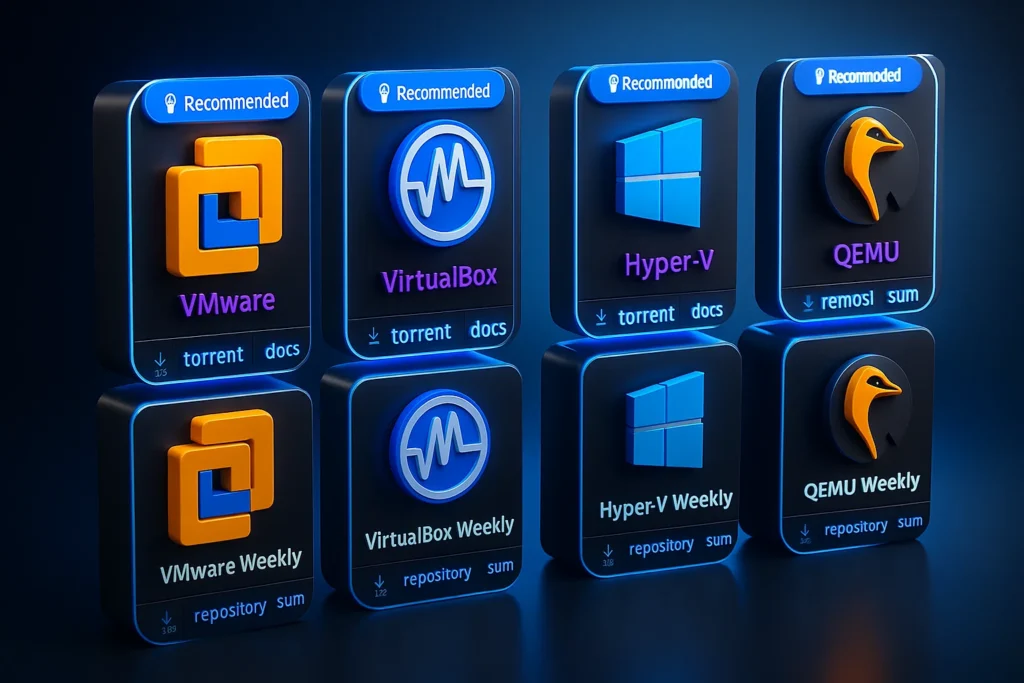
The acquisition of VMware-specific Kali Linux images through the official download repositories ensures compatibility with VMware Workstation Player while providing access to virtual machine configurations that have been specifically optimized for the VMware virtualization platform. These pre-configured images incorporate VMware-specific drivers, performance optimizations, and integration features that may not be available through generic virtual machine deployments or alternative virtualization platform configurations.
By utilizing VMware Pre-built configurations, users can significantly reduce setup time and ensure that their testing environments are ready for immediate use.
The download process for compressed virtual machine archives typically utilizes 7-Zip compression formats that provide excellent compression ratios while maintaining file integrity during network transfers and storage operations. The extraction of these compressed archives requires appropriate decompression utilities that can handle the specific compression formats utilized for distribution, with the extraction process revealing complete virtual machine directory structures containing all necessary components for immediate VMware integration and deployment.
The organizational management of extracted virtual machine files continues to emphasize the importance of centralized storage strategies that consolidate all virtualization assets within dedicated directory structures. The establishment of project-specific subdirectories within the primary VMS folder hierarchy enables logical separation of different virtual machine types while maintaining overall organizational clarity that supports efficient backup procedures, collaborative access, and system migration activities that may become necessary as operational requirements evolve.
The integration of pre-built images with VMware Workstation Player utilizes the platform’s native virtual machine recognition capabilities, which automatically detect and configure appropriate parameters when virtual machine directories are properly structured and contain the necessary configuration files. This automated recognition eliminates manual configuration procedures while ensuring optimal performance characteristics and compatibility with the VMware virtualization environment.
The activation of imported virtual machines follows standard VMware operational procedures, with the interface providing comprehensive access to virtual machine properties, resource allocation settings, and configuration parameters that can be modified post-deployment to accommodate specific testing requirements or performance optimization objectives. The default authentication credentials documented within virtual machine descriptions provide immediate access to fully functional penetration testing environments ready for security assessment activities.
8.2 Metasploitable Integration in VMware Environments
The deployment of Metasploitable within VMware Workstation Player environments extends the vulnerable system capabilities previously established through VirtualBox implementations while providing alternative virtualization platform options that may offer enhanced performance characteristics or compatibility advantages for specific deployment scenarios. The cross-platform availability of Metasploitable images ensures consistent vulnerability landscapes across different virtualization platforms while enabling comparative performance analysis and platform-specific optimization strategies.
The acquisition of Metasploitable images through SourceForge repositories provides access to community-maintained vulnerable system images that represent collaborative efforts to create comprehensive security training platforms encompassing diverse vulnerability categories and exploitation scenarios. The SourceForge distribution model ensures broad accessibility while maintaining version control and update distribution capabilities that enable the security community to contribute improvements and additional vulnerability examples over time.
The VMware integration process for Metasploitable utilizes the platform’s “Open a Virtual Machine” functionality, which provides comprehensive import capabilities for virtual machine images created on different platforms or distributed through third-party repositories. This import functionality demonstrates VMware’s commitment to interoperability and platform flexibility while enabling users to leverage virtual machine resources regardless of their original creation platform or distribution method.
The import configuration process within VMware requires specification of virtual machine naming conventions and storage locations that align with established organizational standards while accommodating the specific characteristics of vulnerable system deployments. The creation of dedicated subdirectories such as “Metasploitable” within the primary VMS folder structure ensures logical organization while maintaining clear boundaries between different virtual machine types and operational purposes.
The import procedure may require significant time commitments depending on virtual machine size, host system performance characteristics, and storage subsystem capabilities, with complex vulnerable systems like Metasploitable containing extensive collections of vulnerable applications and services that contribute to substantial virtual machine disk sizes. The patience required during import procedures represents an investment in establishing robust security testing capabilities that will support comprehensive vulnerability assessment and exploitation practice activities.
Upon successful completion of import procedures, Metasploitable appears within the VMware interface as a fully configured virtual machine ready for immediate security testing activities. The default authentication credentials utilizing “vagrant” as both username and password provide straightforward access to the vulnerable system while maintaining consistency with established penetration testing laboratory conventions and educational deployment standards.
8.3 OWASP WebGoat VMware Deployment and Configuration
The implementation of OWASP WebGoat within VMware environments continues the pattern of cross-platform vulnerable system deployment while providing specialized focus on web application security vulnerabilities and browser-based exploitation techniques that represent critical components of modern penetration testing methodologies. The availability of WebGoat across multiple virtualization platforms ensures consistent training experiences while enabling organizations to select virtualization solutions that best align with their existing infrastructure capabilities and performance requirements.
The acquisition process for OWASP WebGoat images follows established procedures for obtaining SourceForge-hosted security training platforms, with the official project repositories providing access to current and archived versions of the vulnerable web application platform. The SourceForge distribution model continues to support community collaboration while ensuring broad accessibility for educational institutions, security professionals, and individual practitioners seeking to develop web application security assessment capabilities.
The integration of WebGoat with VMware Workstation Player requires initial extraction of compressed archive files using appropriate decompression utilities that can handle the specific formats utilized for distribution. The extraction process reveals virtual machine components including virtual disk images, configuration files, and metadata that completely define the vulnerable web application environment ready for integration with VMware virtualization platforms.
The organizational management of WebGoat virtual machine files maintains consistency with previously established directory structure conventions, utilizing dedicated subdirectories within the primary VMS folder hierarchy to ensure logical separation while supporting comprehensive backup and maintenance procedures. The creation of OWASP-specific folders enables clear identification of web application security testing resources while maintaining integration with broader virtual machine management strategies.
The VMware import process for WebGoat utilizes standard virtual machine integration procedures that automatically detect and configure appropriate virtual hardware parameters based on the characteristics of the imported virtual machine image. This automated configuration reduces deployment complexity while ensuring optimal compatibility between the vulnerable web application platform and the VMware virtualization environment.
The successful deployment of WebGoat within VMware environments provides immediate access to comprehensive web application security training platforms that encompass the full spectrum of OWASP Top Ten vulnerabilities and advanced web-based exploitation techniques. The default authentication credentials utilizing “root” as the username with “owaspbwa” as the password provide administrative access to both the underlying Linux operating system and the integrated web application security training modules.
8.4 Comprehensive Multi-Platform Virtualization Strategy
The establishment of parallel virtualization capabilities utilizing both VirtualBox and VMware platforms provides enhanced flexibility for penetration testing laboratory management while enabling comparative analysis of platform-specific features, performance characteristics, and operational advantages that may influence virtualization platform selection for specific deployment scenarios or organizational requirements. This multi-platform approach ensures maximum compatibility with diverse virtual machine images while providing redundancy capabilities that enhance operational resilience.
The maintenance of consistent virtual machine collections across multiple virtualization platforms requires systematic organizational strategies that ensure synchronized virtual machine versions, configuration parameters, and vulnerability landscapes across different platform implementations. This synchronization enables seamless transitions between virtualization platforms while maintaining consistent training experiences and assessment capabilities regardless of underlying virtualization infrastructure.
The comparative evaluation of virtualization platform performance characteristics provides valuable insight into resource utilization patterns, networking capabilities, and integration features that may influence platform selection decisions for specific operational requirements. The ability to deploy identical virtual machine configurations across multiple platforms enables direct performance comparisons while highlighting platform-specific advantages that may prove beneficial for specialized testing scenarios.
The cross-platform availability of vulnerable system images demonstrates the maturity and standardization of security training platforms while ensuring broad accessibility for diverse educational and professional development initiatives. The consistency of vulnerability landscapes across different virtualization platforms provides confidence in training effectiveness while enabling flexible deployment strategies that can accommodate varying infrastructure capabilities and organizational preferences.
The establishment of comprehensive virtualization laboratories encompassing multiple platforms and diverse vulnerable systems creates robust foundations for advanced penetration testing training and professional skill development activities that accurately simulate real-world security assessment scenarios while maintaining appropriate ethical and legal boundaries that protect production systems and sensitive information resources.
Chapter 8: Pre-built Image Integration
Multi-Platform Vulnerable System Deployment and Advanced Laboratory Configuration
Pre-built Kali Linux Image Integration with VMware
Streamlined Deployment Methodology
Pre-built Kali Linux images eliminate time-intensive installation procedures while providing immediate access to fully configured security testing platforms
Streamlined approach eliminating installation procedures for immediate penetration testing laboratory establishment
VMware-specific drivers and performance optimizations with comprehensive tool collections and system configurations
Consistent standardized configurations across multiple student workstations for educational institutions and training programs
Automated recognition capabilities with optimal performance characteristics and VMware environment compatibility
Integration Workflow Process
VMware-Specific Optimization
Pre-configured images incorporate VMware-specific drivers, performance optimizations, and integration features that may not be available through generic virtual machine deployments or alternative virtualization platform configurations.
Metasploitable Integration in VMware Environments
- Community collaboration support
- Version control capabilities
- Update distribution mechanisms
| Integration Aspect | VMware Capability | VirtualBox Comparison | Performance Impact |
|---|---|---|---|
| Import Process | Native cross-platform support | Limited import capabilities | Streamlined deployment |
| File Management | Automated organization features | Manual directory management | Enhanced efficiency |
| Configuration | Intelligent parameter detection | Manual configuration required | Reduced setup complexity |
| Authentication | vagrant/vagrant credentials | Consistent across platforms | Standardized access |
OWASP WebGoat VMware Deployment and Configuration
Web Application Security Platform
WebGoat implementation providing specialized focus on web application security vulnerabilities and browser-based exploitation techniques
Web Application Security Training
OWASP WebGoat provides immediate access to comprehensive web application security training platforms encompassing advanced web-based exploitation techniques and the complete spectrum of modern web security vulnerabilities for professional development activities.
Comprehensive Multi-Platform Virtualization Strategy
Enhanced Laboratory Flexibility
Parallel virtualization capabilities utilizing both VirtualBox and VMware platforms providing enhanced flexibility and comparative analysis opportunities
Advanced Laboratory Infrastructure
Comprehensive virtualization laboratories creating robust foundations for professional penetration testing training and skill development
Deployment Strategy Implementation
Strategic implementation approaches for comprehensive multi-platform vulnerable system deployment and management
| Strategic Component | Multi-Platform Benefit | Implementation Complexity | Operational Advantage |
|---|---|---|---|
| Platform Redundancy | Enhanced operational resilience | Moderate synchronization requirements | Backup virtualization capabilities |
| Performance Analysis | Comparative optimization insights | Resource monitoring overhead | Platform-specific tuning |
| Cost Considerations | Open source vs commercial balance | Licensing management complexity | Budget flexibility options |
| Training Consistency | Standardized vulnerability landscapes | Version synchronization challenges | Predictable learning outcomes |
Strategic Implementation Benefits
Comprehensive multi-platform virtualization strategy provides enhanced flexibility for penetration testing laboratory management while enabling comparative analysis of platform-specific features and performance characteristics that influence deployment decisions for diverse operational requirements.