So let me tell you a story. Three months ago, I was mindlessly scrolling through Twitter (sorry, “X” – still can’t get used to that) when I saw yet another tech influencer raving about Arc Search. You know how it goes – every week there’s some new “revolutionary” app that’s supposedly going to change your life. I’m usually pretty skeptical about these things, but I kept seeing Arc Search pop up everywhere. Tech blogs, YouTube reviews, Reddit threads. The hype was real.
I finally caved on a random Tuesday afternoon when I was supposed to be working. Downloaded it from the App Store, thinking I’d play around with it for five minutes and then forget about it like every other browser app I’ve tried.
Spoiler alert: I’m still using it.
But before you think this is going to be some fanboy love letter, hold up. I’ve got plenty of complaints too. Let me walk you through the whole experience – the good, the bad, and the “wait, why doesn’t this exist yet?”
First Impressions: Surprisingly Smooth
The onboarding process was refreshingly simple. No endless signup forms, no “tell us about your browsing habits” surveys, no pressure to create an account immediately. You literally just open the app and start searching. That’s it.
Coming from Chrome and Safari where everything wants to sync and log in and connect to seventeen different services, this felt almost suspiciously easy. Like, where’s the catch? Where’s the part where they ask for my firstborn child?
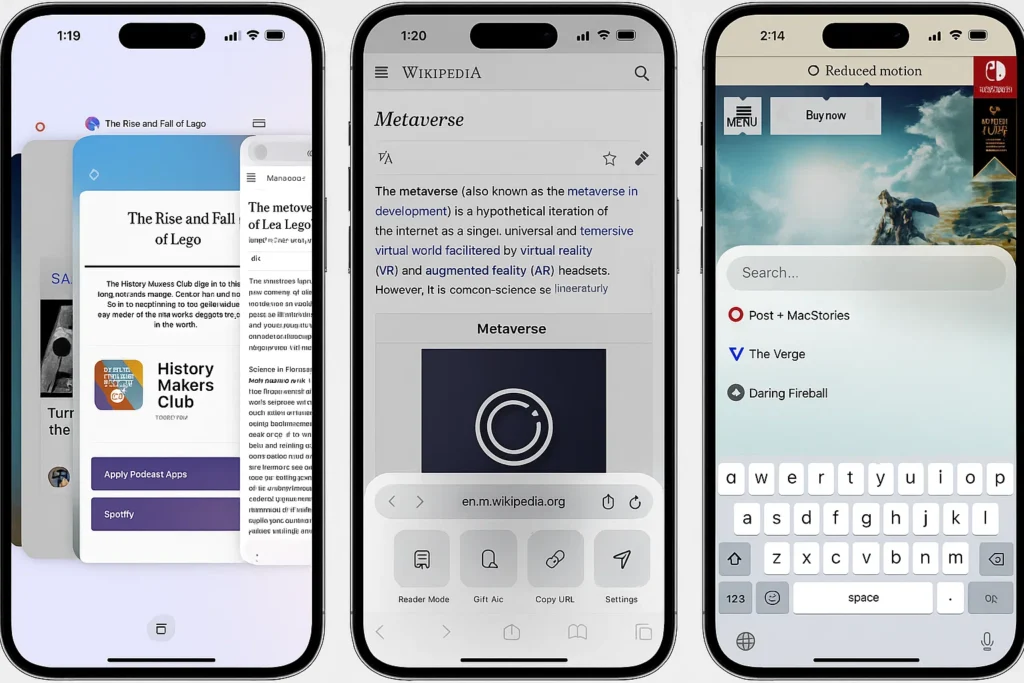
The interface hit me right away – it’s gorgeous. Really clean, minimal, almost brutalist in its simplicity. There’s a search bar, and… that’s pretty much it on the home screen. No suggested articles, no news feed, no “continue reading” prompts. Just a search bar staring at you, ready to go.
I’m someone who gets visually overwhelmed pretty easily, so this was immediately appealing. My Safari start page looks like a digital hoarder’s nightmare with all the bookmarks and suggestions and widgets. Arc Search felt like walking into a minimalist apartment after living in a cluttered house.
The “Browse for Me” Feature: Game Changer or Gimmick?
Okay, let’s talk about the elephant in the room – the feature everyone won’t shut up about. “Browse for Me” is Arc Search’s party trick, and honestly, it’s pretty wild the first time you see it in action.
Here’s how it works: You type in a question or search query, and instead of giving you a list of links like Google, it actually goes out, reads multiple sources, and generates a custom page for you with the answer. Like it literally creates a mini website on the fly with sections, formatting, and organized information.
My first test was something simple: “best budget mechanical keyboards 2024.” Within about 10 seconds, Arc Search had created this beautiful page with:
- An introduction to what makes a good budget mechanical keyboard
- A list of top recommendations with prices
- Key features to look for
- Pros and cons of different switch types
- Where to buy them
I sat there staring at my phone like “okay, that’s actually impressive.” No clicking through ten different articles. No dodging ads and pop-ups. No SEO-optimized garbage that takes 500 words to tell you what could be said in 50. Just the information I needed, cleanly presented.
When It Works Really Well
Over the past three months, I’ve found Browse for Me absolutely crushes certain types of searches:
Quick factual queries – “What time does Target close?” “Who won the 1998 World Cup?” “How many calories in an avocado?” It’s faster than traditional search for this stuff because you don’t have to click into a site to get the answer.
Comparison shopping – This is where it really shines. Searching for products and getting an overview of options is so much better than wading through affiliate blog spam. I used it when buying new headphones, looking for a coffee maker, comparing phone plans. It saved me hours of research.
Learning new topics – When I wanted to understand how blockchain actually works (finally), Arc Search gave me a really digestible explanation with sections that built on each other logically. It was like having someone curate Wikipedia for you.
Travel planning – “Things to do in Portland” gave me a genuinely useful page with categories like food, outdoor activities, nightlife, and coffee shops (it’s Portland, after all). Way better than scrolling through TripAdvisor’s mess of an interface.
Recipe ideas – “Easy weeknight pasta recipes” generated a page with several options, ingredients, and quick instructions. I actually cooked from it, which is saying something.
When It Frustrates Me
But here’s the thing – it’s not perfect. Not even close.
Speed can be inconsistent – Sometimes Browse for Me loads in 5 seconds. Sometimes I’m sitting there for 20+ seconds watching the loading animation. And when you’re used to instant Google results, 20 seconds feels like an eternity. I’ve found myself canceling and just doing a regular search because I got impatient.
Source transparency issues – This is my biggest gripe. When Arc Search generates a page, it’s not always crystal clear where the information came from. Sometimes there are little citation links, sometimes there aren’t. When I’m researching something important or fact-checking, I want to see my sources clearly. The black box nature of it makes me uncomfortable for anything serious.
Can’t handle nuance – Try searching for something controversial or politically charged, and you’ll see the limitations. The AI tries to be balanced but often ends up being bland and non-committal. It’s great for facts, less great for topics that require depth and multiple perspectives.
Weird gaps in knowledge – Sometimes it just… misses things? Like I searched for information about a specific tech conference that definitely happened, and it gave me very surface-level info that I knew was incomplete. There’s no way to say “hey, you missed some stuff, dig deeper.”
No follow-up mechanism – You can’t really have a conversation with it. If the first result doesn’t answer my question fully, I have to start a completely new search. There’s no “tell me more about X” or “what about Y?” capability.
The Regular Search Mode: Still Solid
Here’s something people don’t talk about enough – Arc Search isn’t just the Browse for Me feature. You can also use it as a regular search engine, and honestly, it’s pretty good at that too.
The results are clean and well-formatted. No giant ad blocks at the top pretending to be results. The snippets are actually useful. And the speed is noticeably faster than opening Safari and typing into Google.
I’ve found myself using regular search mode more than I expected, especially for:
- Shopping (I want to see multiple retailer options)
- News (I want to choose which publication to read)
- Deep research (I want to see the full landscape of sources)
- Troubleshooting tech problems (I want to browse forums and see multiple solutions)
The ability to switch between “give me the answer” mode and “show me the sources” mode is there, but it’s not as seamless as I’d like. More on that later in the “wish list” section.
Design and UX: Mostly Excellent
Let’s talk about the actual experience of using this app day to day, because that’s what really matters, right?
The Good:
The gesture controls are intuitive. Swipe right to go back, swipe left to go forward. It feels natural after about five minutes of use.
The dark mode is genuinely well-implemented. Not just inverted colors that burn your eyes – actually thoughtful dark mode that’s easy on the eyes at night.
The search bar is always accessible. No matter where you are in the app, you can quickly jump to a new search.
Tab management is simple but effective. You can have multiple searches going without it feeling cluttered.
The Annoying Parts:
No history search. If I want to find something I searched for two weeks ago, I’m out of luck. There’s a recent searches list, but it’s limited and not searchable.
Can’t customize the home screen. I’d love to have quick access to frequently visited sites or saved searches, but nope. Just that search bar staring at you.
Sharing results is kind of clunky. If I want to send someone an Arc Search browse page, the share functionality doesn’t always work smoothly.
Privacy: Actually Pretty Good?
One thing I was pleasantly surprised by is the privacy angle. Arc Search doesn’t seem to be hoovering up my data like some browsers do. No account required means less tracking. They claim they don’t sell your data, and from what I can tell, they’re not serving targeted ads based on my searches.
That said, the Browse for Me feature does send your queries to their servers to process, so it’s not completely private. If you’re really paranoid about privacy, you’d want to stick with something like DuckDuckGo or Brave.
But compared to Chrome’s data collection or even Safari with all its Apple ecosystem integration, Arc Search feels relatively lightweight on the tracking front.
Performance: Fast But Battery Hungry
The app is snappy. Pages load quickly, searches execute fast (usually), and it doesn’t lag or stutter on my iPhone 13. I haven’t experienced any crashes in three months of regular use, which is more than I can say for some other apps.
But here’s something I noticed – it seems to drain battery faster than Safari. Not dramatically, but noticeably. If I’m doing a lot of browsing in Arc Search, my phone definitely runs down quicker. I’m not sure if it’s the AI features working in the background or just optimization issues, but it’s something to be aware of.
Also, it can get a bit warm during heavy use, especially when running multiple Browse for Me searches. Nothing alarming, but my phone definitely heats up more than with traditional browsing.
The Missing Pieces: My Wish List
Alright, let’s talk about what would make Arc Search go from “pretty good” to “absolutely essential” for me.
1. Desktop Sync
This is the big one. The Browser Company makes Arc Browser for desktop, which is a completely different product. They don’t talk to each other. I can’t sync my searches, bookmarks, history, nothing.
Do you know how frustrating it is to do research on your phone, find exactly what you need, and then sit down at your computer and have to start completely over? It’s 2025. Syncing should be basic functionality.
I get that they’re separate products with different philosophies, but come on. At minimum, give me a way to send Arc Search pages to my desktop or save them somewhere accessible.
2. Better Source Citations
I want to see exactly where Browse for Me is pulling information from, every single time. Not just sometimes. Not buried in a tiny link I have to hunt for. Front and center.
Give me expandable sections showing all the sources used, with timestamps and credibility indicators. Let me click through to the original articles easily. Make it transparent.
3. Customizable Search Options
Let me tell Arc Search my preferences. Maybe I always want results from certain sources. Maybe I never want results from specific sites. Maybe I prefer video content over articles, or vice versa.
A settings menu where I can tweak how Browse for Me works would be incredibly valuable. Right now it’s one-size-fits-all, and that doesn’t work for everyone.
4. Conversation Mode
Imagine if after getting a Browse for Me page, I could ask follow-up questions like:
- “Tell me more about option #3”
- “What about for a smaller budget?”
- “Compare these two specifically”
Make it conversational. Make it feel like I’m researching with a knowledgeable assistant rather than just running isolated searches.
5. Save and Organize
Give me collections or folders where I can save searches and pages. Let me build up research on a topic over time. Right now everything is ephemeral – once I close a tab, it’s gone forever unless I remember exactly what I searched for.
6. Offline Mode
Sometimes Browse for Me takes a while to load. If I’m on spotty wifi or have already searched for something, let me save pages for offline reading. Pocket integration would be amazing. Or just built-in save functionality.
7. Reader Mode Improvements
Arc Search has a reader mode for articles, but it’s pretty basic. Safari’s reader mode is still better. I’d love to see more customization options – font choices, spacing, background colors, text size.
Who Should Use Arc Search?
After three months of daily use, I have a pretty good sense of who would love this and who should probably stick with what they have.
You’ll probably love Arc Search if:
- You do a lot of quick research and comparison shopping
- You’re tired of ad-heavy search results and SEO spam
- You appreciate clean, minimal design
- You primarily browse on mobile
- You’re okay with AI-generated summaries for most queries
- You want faster answers without clicking through multiple sites
You should probably stick with your current browser if:
- You need deep research with extensive source verification
- You heavily rely on browser extensions and customization
- You need desktop-mobile sync for work
- You’re skeptical of AI-summarized information
- You prefer having complete control over your search results
- You browse primarily on desktop
It’s worth trying (it’s free!) if:
- You’re curious about AI-powered search
- You’re frustrated with traditional search engines
- You want something different for casual mobile browsing
- You’re a tech enthusiast who likes trying new tools
How to Get Started
If I’ve piqued your interest and you want to give it a shot, here’s what you need to know:
For iPhone users:
- Open the App Store
- Search for “Arc Search”
- Download it (it’s free, no subscription)
- Open it and start searching – that’s literally it
Requirements: iOS 16 or later. Works on iPhone and iPad. Takes up about 50MB of storage.
For Android users:
- Open the Google Play Store
- Search for “Arc Search”
- Download and install
- Start searching immediately
Requirements: Android 8.0 or higher. Similar storage requirements.
Pro tips for new users:
- Try Browse for Me first with a comparison question like “best wireless earbuds under $100”
- Explore the settings menu to tweak a few basic preferences
- Try both Browse for Me and regular search to see which you prefer for different queries
- Give it a solid week of use before deciding – it takes a bit to adjust to the different approach
The Bottom Line: Three Months Later
So after all of this, am I still using Arc Search? Yes. Daily? Also yes. As my only browser? No.
Here’s the honest truth: Arc Search has earned a permanent spot on my phone’s home screen. It’s become my go-to for probably 60-70% of my mobile searches. When I need a quick answer, want to compare products, or just want to learn something new, I open Arc Search.
But for work research, deep dives, or anything where I need to verify sources carefully, I still find myself switching to Safari or Chrome. And the lack of desktop integration means it’s not part of my work flow – it’s purely a mobile tool for me.
Is it revolutionary? Eh, that’s probably overselling it. Is it useful and well-executed? Absolutely.
The Browse for Me feature is genuinely innovative and saves me time more often than not. The design is beautiful and the app is mostly fast and reliable. For casual browsing and everyday searches, it’s honestly hard to beat.
But it’s not perfect. The source transparency issues bother me. The lack of cross-platform sync frustrates me. The inconsistent loading times annoy me. And I worry about becoming too dependent on AI-summarized information without seeing the primary sources.
My advice? Download it. Try it for a week. See if the Browse for Me feature clicks with how you search for information. If it does, great – you’ve found a useful new tool. If it doesn’t, no harm done – you’re out nothing but a few minutes of download time.
For me, Arc Search represents something interesting: a genuine attempt to rethink how we interact with information on our phones. It’s not just another browser doing the same thing with a different coat of paint. It’s actually trying something different.
And in a world where most apps are just copying each other, that’s worth celebrating – even if the execution isn’t perfect yet.
Would I recommend it? Yeah, I would. With caveats and disclaimers, but yes. It’s a solid addition to anyone’s mobile toolkit, even if it’s not going to completely replace your existing browser.
Three months in, I’m cautiously optimistic about where Arc Search is headed. If The Browser Company can address some of these pain points – especially the desktop sync and source transparency – this could genuinely become essential software.
For now, it’s very good at what it does. And sometimes, very good is good enough.
Have you tried Arc Search? What’s your experience been like? I’d genuinely love to hear different perspectives on this – especially if you’ve found uses for it that I haven’t thought of or if you’ve hit limitations I didn’t mention.